


Technology Should Help You--Not Lock You Out.
- May 18
- 7 min read

If you've ever tried to apply for housing assistance online, schedule a medical appointment through a confusing website, or join a support group video call and couldn't see the screen clearly, hear the audio, or navigate the menus, you already know: the digital world wasn't built with everyone in mind.
You are not broken. The systems are.
Accessible digital tools are designed to remove those barriers. They help you read small text, hear audio when captions aren't available, navigate websites without a mouse, and simplify overwhelming menus so you can actually get to the help you need.
Whether you're trying to connect with peer support, apply for benefits, find housing, or just get through your day without technology fighting you—these tools can make a real difference.
Why Accessible Digital Tools Matter When You're Just Trying to Survive
Maybe you're trying to find stable housing, manage chronic pain or illness, navigate mental health challenges, stay connected after incarceration, or care for someone while barely holding yourself together.
And on top of all that, you're expected to navigate websites, apps, and digital forms that assume everyone can see perfectly, hear clearly, type quickly, and understand complicated instructions.
When technology creates barriers instead of removing them, it makes everything harder:
You miss appointment reminders because you can't read small text
You can't complete benefit applications because the website doesn't work with assistive devices
You lose access to peer support groups because video calls don't have captions
You can't get help because phone trees and online forms are too confusing to navigate
Accessible digital tools fix these problems. They adjust how information is presented so it works for your body, your brain, and your situation—not the other way around. This isn't about being "tech-savvy." It's about survival.
What Accessible Digital Tools Actually Do
Accessible digital tools change how you interact with technology so you can actually use it.
Here's what they do:
Make text easier to read: Larger fonts, high-contrast colors, screen magnifiers, and text-to-speech
Provide alternatives to audio: Captions, transcripts, and visual alerts so you don't have to rely on sound alone
Let you navigate without a mouse: Keyboard shortcuts, voice commands, and adaptive hardware for people with limited mobility
Simplify complex information: Plain language settings, simplified menus, reading guides, and focus tools for people with ADHD, autism, learning disabilities, or cognitive challenges
These tools are often free and already built into your phone or computer. You just need to know where to find them.
Imagine being able to schedule medical appointments, connect with recovery support, apply for housing assistance, or access telehealth services without technology blocking you at every step.
That's the power of accessibility.
The 4 Main Disability Groups and How Technology Can Help
Understanding how accessible digital tools support different needs helps you find what actually works for you.
Visual Disabilities
This includes blindness, low vision, color blindness, and conditions that make reading screens difficult.
What helps:
Screen readers: Software that reads text out loud (like VoiceOver on iPhone or TalkBack on Android)
Screen magnifiers: Zoom features that enlarge text and images
High-contrast modes: Settings that make text stand out against backgrounds
Voice commands: Control your phone or computer by speaking instead of looking at the screen
If you're trying to read benefit applications, medical instructions, or housing forms and the text is too small or blurry, these tools can read everything to you out loud.
Hearing Disabilities
This includes deafness, being hard of hearing, or difficulty processing audio.
What helps:
Captions: Text versions of spoken words in videos and calls
Transcripts: Written records of audio content
Visual alerts: Flashing lights or vibrations instead of sounds for notifications
Live transcription tools: Real-time text during phone calls or video meetings
If you need to attend telehealth appointments, join peer support video calls, or listen to important voicemails, captions and transcripts make sure you don't miss critical information.
Motor Disabilities
This includes challenges with movement, coordination, tremors, paralysis, or conditions that make typing or using a mouse difficult.
What helps:
Voice typing: Speak instead of type (available on most phones and computers)
Keyboard navigation: Use tab and arrow keys instead of a mouse
Switch controls: External devices that let you control your phone or computer with minimal movement
Touch accommodations: Settings that adjust how taps and swipes register on touchscreens
If filling out long online forms for housing applications, medical records, or benefit renewals feels physically exhausting or impossible, voice typing and keyboard shortcuts can do the work for you.
Cognitive and Neurological Disabilities
This includes ADHD, autism, learning disabilities, memory challenges, brain injuries, and conditions that affect focus, reading, or processing information.
What helps:
Reading guides and focus tools: Highlight one line at a time to reduce overwhelm
Simplified language settings: Plain-language options that remove jargon
Consistent navigation: Predictable menus and layouts that don't change unexpectedly
Reminders and visual schedules: Automated alerts for appointments, medication, and tasks
If you get overwhelmed by complicated websites, forget appointments, or struggle to follow multi-step instructions, these tools break everything into smaller, clearer steps.
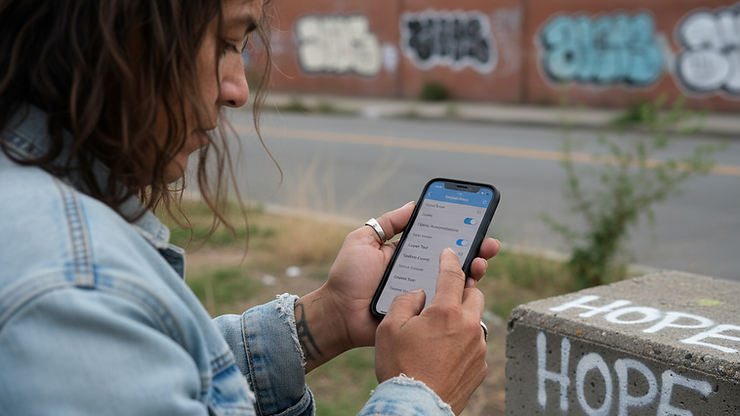
Free Accessibility Features Already on Your Phone
You don't need to buy expensive software or equipment. Most phones and computers already have powerful accessibility tools built in—you just need to turn them on.
For Vision Challenges
iPhone/iPad:
VoiceOver: Screen reader that describes everything on your screen out loud (Settings → Accessibility → VoiceOver)
Zoom: Magnify your entire screen (Settings → Accessibility → Zoom)
Display & Text Size: Larger text, bold fonts, high contrast (Settings → Accessibility → Display & Text Size)
Android:
TalkBack: Screen reader (Settings → Accessibility → TalkBack)
Magnification: Zoom gestures (Settings → Accessibility → Magnification)
High contrast text and Display size: Make text bigger and easier to see (Settings → Accessibility → Visibility enhancements)
Computers (Windows/Mac):
Narrator (Windows) or VoiceOver (Mac): Built-in screen readers
Magnifier: Zoom tools for reading small text
For Hearing Challenges
iPhone/iPad:
Live Captions: Real-time captions for videos and calls (Settings → Accessibility → Live Captions)
Sound Recognition: Get alerts when your phone detects doorbells, alarms, or sirens (Settings → Accessibility → Sound Recognition)
Android:
Live Caption: Auto-captions for media and calls (Settings → Accessibility → Live Caption)
Live Transcribe: Real-time speech-to-text (download from Google Play)
Computers:
Live Captions (Windows 11) or Live Captions (Mac): Turn on captions for any audio
For Movement or Coordination Challenges
All devices:
Voice Typing: Speak instead of typing (activate microphone icon on keyboard, or say "Hey Siri" or "Hey Google")
Voice Control: Navigate your entire device by voice (iPhone: Settings → Accessibility → Voice Control; Android: Voice Access app)
iPhone/iPad:
AssistiveTouch: Create custom gestures and shortcuts (Settings → Accessibility → Touch → AssistiveTouch)
Android:
Switch Access: Use external switches or buttons to control your phone (Settings → Accessibility → Switch Access)
For Focus, Memory, or Reading Challenges
iPhone/iPad:
Guided Access: Lock your device to one app to reduce distractions (Settings → Accessibility → Guided Access)
Speak Selection: Highlight text and have it read aloud (Settings → Accessibility → Spoken Content)
Android:
Select to Speak: Tap items on your screen to hear them read aloud (Settings → Accessibility → Select to Speak)
All devices:
Reminders and Calendar Alerts: Set automated notifications for appointments, medication, or tasks
These tools are completely free. Spend 10 minutes exploring them. It could change how you access help.
How Accessible Digital Tools Help You Get Real Help
Accessible technology isn't just about using your phone more easily. It's about accessing the resources you need to survive and move forward.
Here's how these tools make a real difference:
Apply for benefits without barriers: Use voice typing or screen readers to complete housing applications, CalFresh forms, or Medi-Cal renewals without struggling to read tiny text or type long answers.
Attend telehealth appointments: Use captions during video calls with doctors, therapists, or case managers so you don't miss important medical information.
Connect with peer support: Join online recovery groups, mental health support meetings, or reentry programs even if you have vision, hearing, or mobility challenges.
Navigate resource websites: Use screen readers and simplified navigation to find local food banks, shelters, legal aid, and Help Is Hope services without getting lost in confusing menus.
Manage appointments and medication: Set voice reminders for medical appointments, probation check-ins, or taking medication so nothing falls through the cracks.
Communicate with landlords and caseworkers: Use voice typing to send emails or texts when typing is painful or difficult.
Access emergency support 24/7: Use voice commands to quickly call crisis lines, text 988, or reach out for help when you're in distress.
Technology should remove barriers—not create them. When it works the way it's supposed to, it connects you to housing, healthcare, food, recovery support, and people who actually care.
What to Do Right Now: Small Steps That Make a Big Difference
You don't have to master everything at once. Start small.
Today:
Open your phone's accessibility settings (look for "Accessibility" under Settings)
Turn on one feature that matches a challenge you face (screen reader, captions, voice typing, or zoom)
Try it for 10 minutes—just to see how it feels
This week:
Practice using your chosen tool on something low-stakes (reading a text message out loud, using voice typing for a note, or turning on captions for a video)
Explore one more accessibility feature
This month:
Use accessibility tools to complete one important task (fill out a form, schedule an appointment, or send an email)
Share what you learned with someone else who might benefit
You don't need to be an expert. You just need to take the first step.
Frequently Asked Questions
What are accessible digital tools?
Accessible digital tools are features and technologies that make phones, computers, and websites usable for people with vision, hearing, movement, or cognitive challenges. They include screen readers, captions, voice commands, magnifiers, and simplified navigation.
Are accessible digital tools free?
Yes. Most accessibility features are built into iPhones, Android phones, Windows computers, and Macs at no extra cost. You just need to turn them on in your device settings.
What are the 4 main disability groups for digital accessibility?
The four groups are: visual disabilities (blindness, low vision), hearing disabilities (deafness, hard of hearing), motor disabilities (limited movement or coordination), and cognitive/neurological disabilities (ADHD, autism, learning disabilities, memory challenges).
How do I turn on accessibility features on my phone?
On iPhone: Go to Settings → Accessibility and choose features like VoiceOver, Zoom, Live Captions, or Voice Control. On Android: Go to Settings → Accessibility and turn on TalkBack, Magnification, Live Caption, or Voice Access.
Can accessible tools help me apply for housing or benefits?
Yes. Voice typing, screen readers, and magnifiers help you read and complete online forms for housing applications, CalFresh, Medi-Cal, and other benefits without struggling with small text or typing.
Do I need special equipment to use accessible digital tools?
Not usually. Most tools work with the phone or computer you already have. Some people use external devices like switches or braille displays, but those are optional—not required.
Can I use voice commands to control my phone?
Yes. Both iPhone (Voice Control) and Android (Voice Access) let you navigate your entire device, open apps, type messages, and make calls using only your voice.


Comments